For years designers and developers have used “Lorem ipsum” as a standard placeholder text when creating page layouts. When incorporating images into the body design though the standard approach is a little less straight forward. With images having to be made or resized first to the required dimensions and then…
Read MoreChanging an elements visibility with jQuery
Adjusting the visibility of element within a web page comes in handy from time to time for features like tool tips, extending content after a short excerpt etc. This technique adds greatly to the user experience of your site and has been around for a long time but the jQuery…
Read MoreHTML5 Placeholders With jQuery
HTML 5 brings many new features to the browser including a lot of enhancements to the way forms are created and handled. One of my favourite features is the introduction of the placeholder attribute, this allows the display of some text in a text input field or text area until the element is brought into focus. This allows the addition of small tips or related prompts to give the user a better understanding of what is required as input.
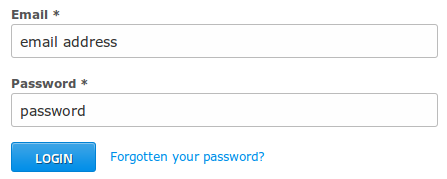 (more…)